# Hướng dẫn mua game trực tiếp trên Steam bằng Steam Wallet
{% hint style="info" %}
Để có thể mua game trên Steam, trước hết bạn cần có tài khoản Steam và đăng nhập sẵn vào app hoặc web.
{% endhint %}
## Video hướng dẫn
{% embed url="https://www.youtube.com/watch?v=EN_WXuYrIuk" %}
## Bước 1:
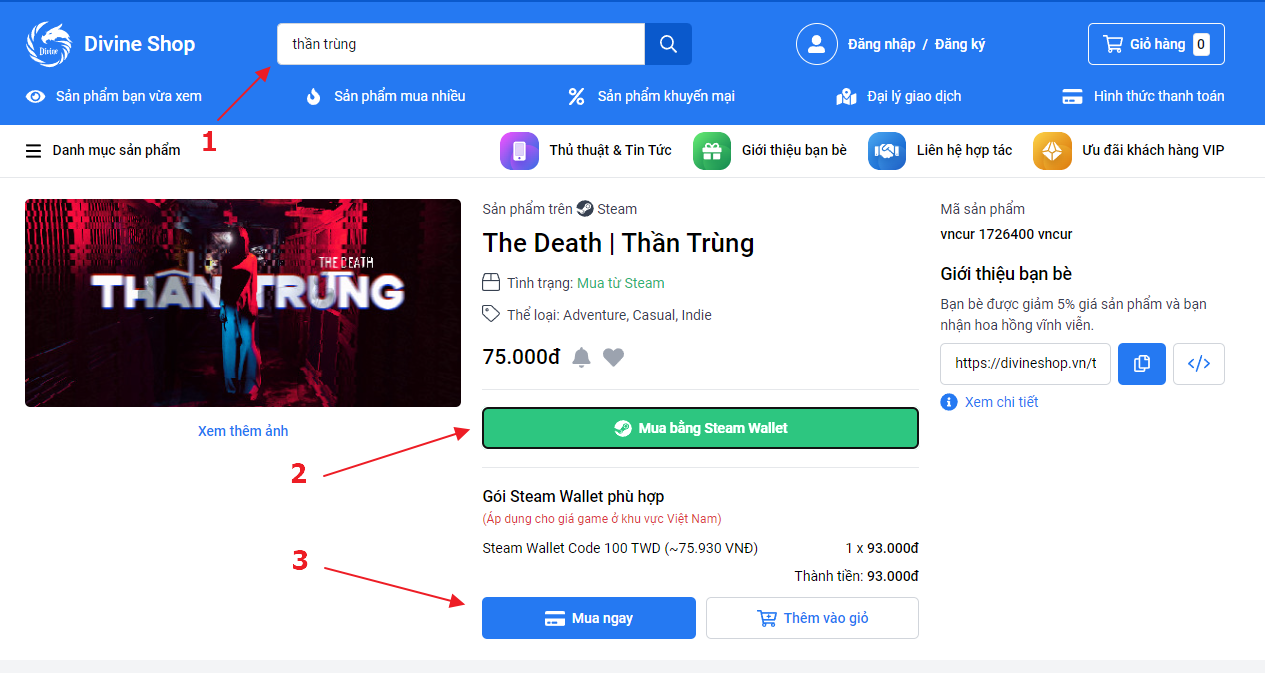
Tìm kiếm sản phẩm trên **Divine Shop**.
Bấm **Mua bằng Steam Wallet**, hệ thống sẽ gợi ý code Steam Wallet phù hợp nhất để mua trực tiếp game này từ Steam.
Sau đó bấm **Mua ngay**
{% hint style="info" %}
Code Wallet hệ thống gợi ý có thể sẽ có mệnh giá lớn hơn giá game. Số tiền thừa này bạn có thể sử dụng để mua game hoặc Item sau này.
{% endhint %}
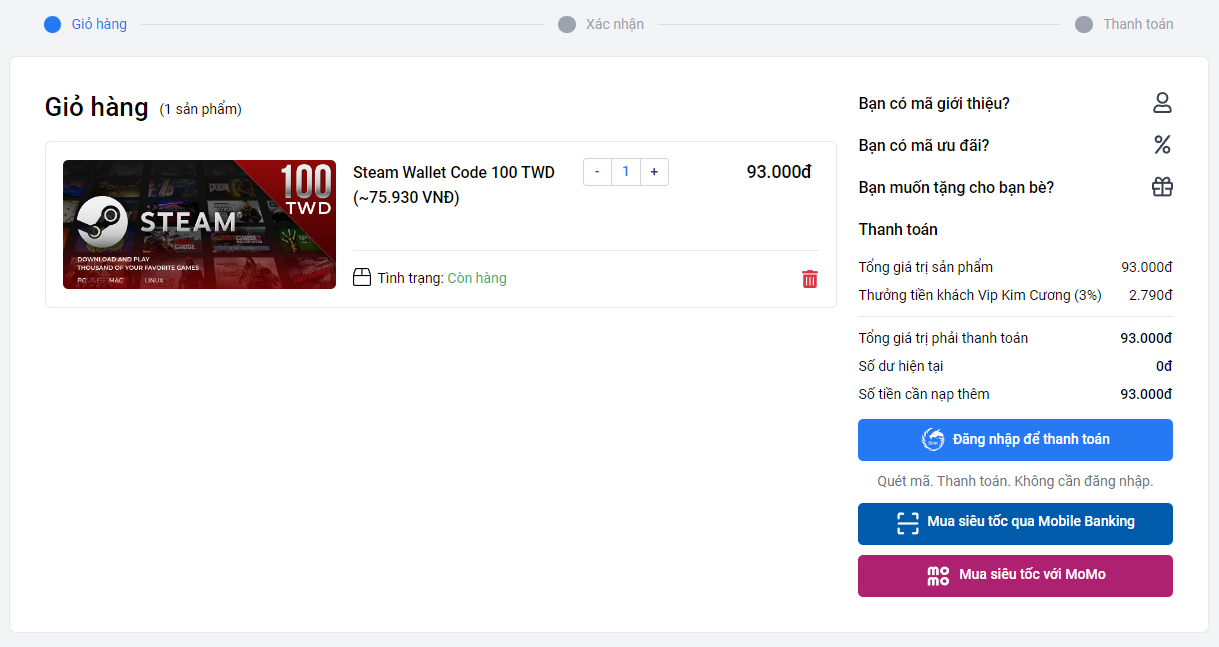
Tiến hành thanh toán đơn hàng (Tham khảo [hướng dẫn mua hàng chi tiết](https://help.divineshop.vn/huong-dan-thanh-toan))
## Bước 2:
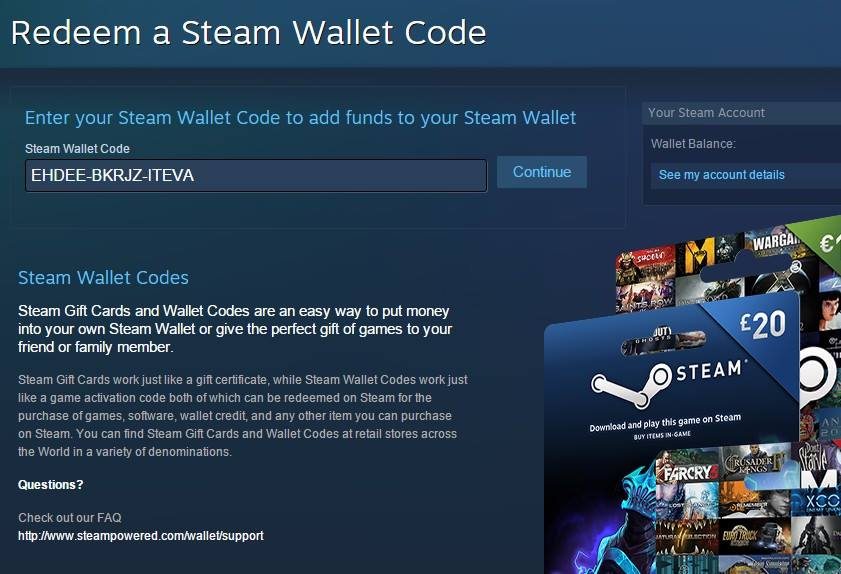
Sau khi mua hàng thành công, trang web sẽ hiển thị Code Wallet. Copy Code Wallet nhận được
Mở **Steam**, bạn chọn mục **Game** => **Redeem a Steam Wallet Code**.
Nhập **Code Steam Wallet** nhận được sau khi mua hàng vào ô **Steam Wallet Code** sau đó click **Continue**.
Hệ thông báo như hình là thành công
## **Bước 3:**
Mở game cần mua trên Steam bằng cách click vào nút **Sản phẩm trên Steam** _(Hoặc có thể tìm kiếm trực tiếp theo tên game ở Steam)_
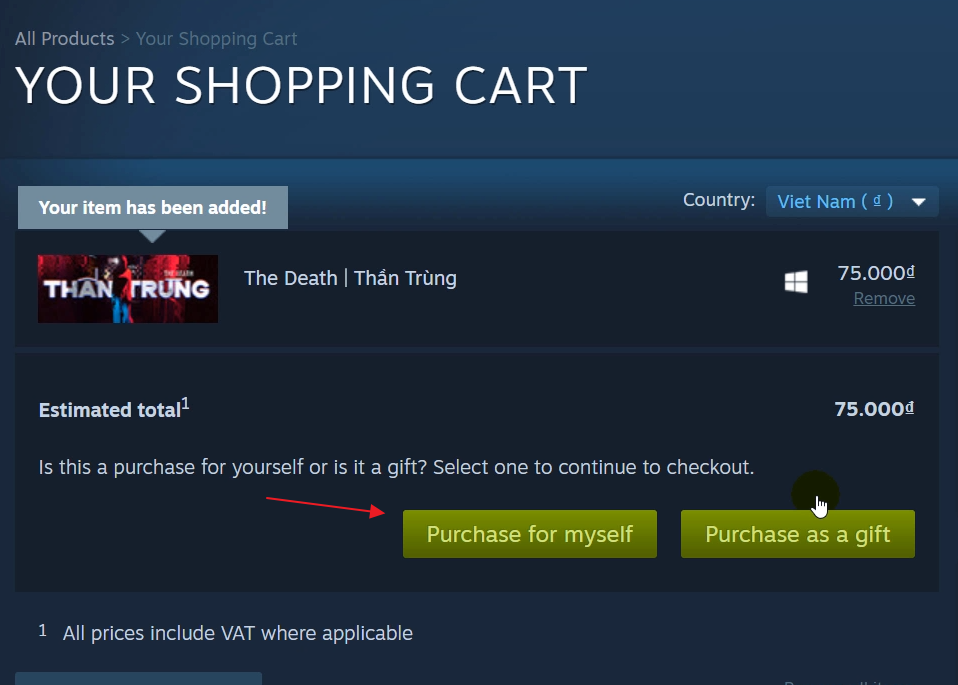
Chọn **Add to Cart**
Tiếp tục chọn **Purchase for myself**
Cuối cùng bấm **Purchase**
Hiện bảng thông báo như hình là bạn đã mua game thành công

Lúc này bạn có thể tải game về máy và thưởng thức trò chơi.
##