> For the complete documentation index, see [llms.txt](https://help.divineshop.vn/llms.txt). Markdown versions of documentation pages are available by appending `.md` to page URLs; this page is available as [Markdown](https://help.divineshop.vn/huong-dan-cai-dat-va-su-dung-san-pham/huong-dan-kiem-tra-thiet-bi-ho-tro-esim.md).
# Hướng dẫn kiểm tra thiết bị hỗ trợ eSIM
**Đối với các thiết bị iOS (iPhones, iPads)**
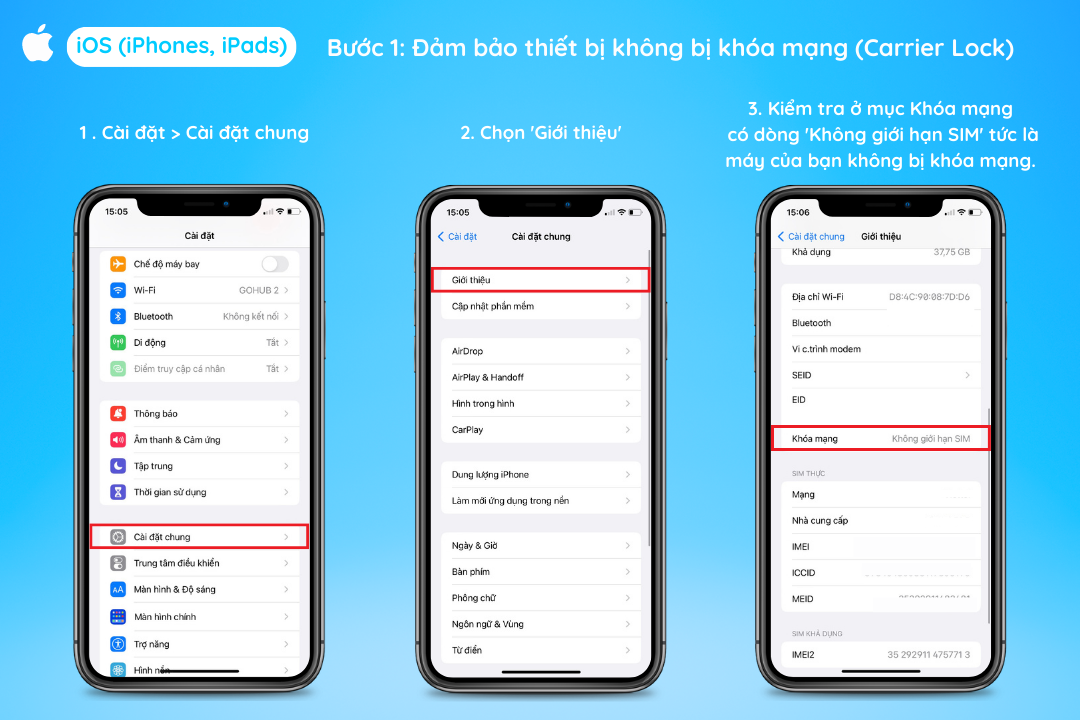
**Bước 1:** Đảm bảo thiết bị của bạn không bị khóa mạng (Carrier Lock)
* Vào phần ***Cài đặt > Cài đặt chung > Giới thiệu***
* Kiểm tra ở mục ***Khóa mạng**,* có dòng “***Không giới hạn SIM*****”** tức là máy của bạn không bị khóa mạng.
**Bước 2**: Kiểm tra thiết bị có hỗ trợ eSIM hay không
* Vào phần ***Cài đặt > Di động.***
* Kiểm tra mục SIM. Nếu có dòng “***Thêm eSIM” (Add eSIM**) hoặc “**Thêm gói cước mạng” (Add Cellular Plan)*** thì máy bạn có hỗ trợ eSIM
**Đối với các thiết bị** **Android (Samsung, Google, Xiaomi, …)**\
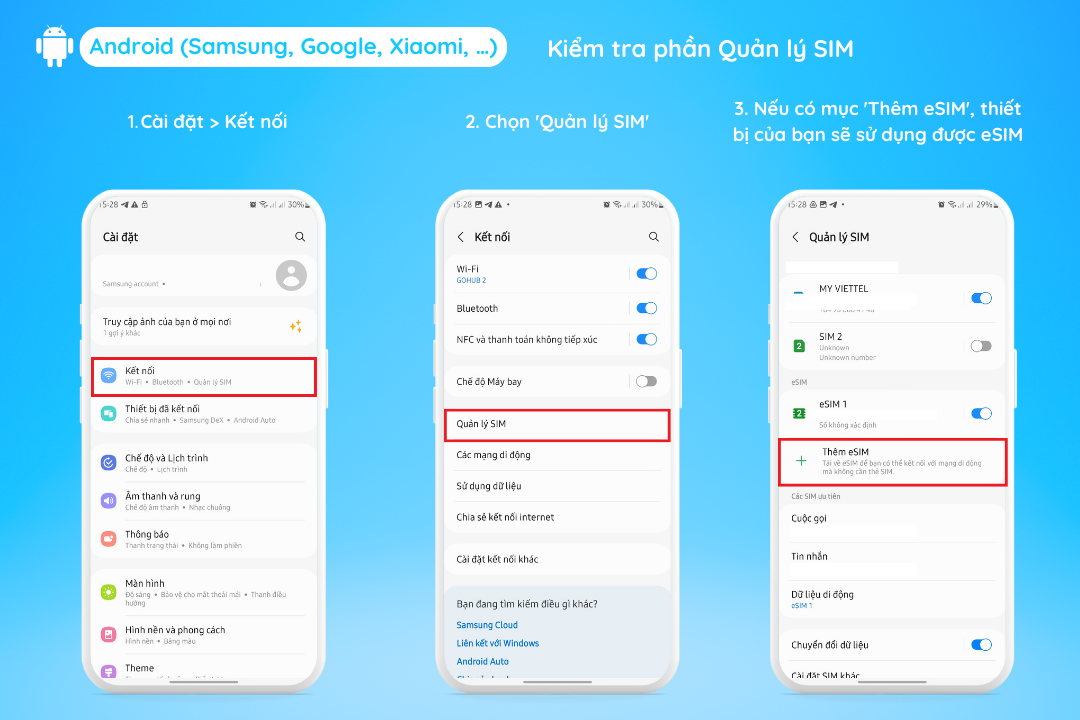
**Bước 1:** Vào phần ***Cài đặt > Kết nối***\
**Bước 2:** Kiểm tra phần ***Quản lý SIM***, nếu có mục ***Thêm gói di động*** là điện thoại có hỗ trợ eSIM